



Most people know their Wi-Fi password but have no idea what type of internet connection is actually powering their home. That matters more than many realize. The type of connection behind your Wi-Fi - fiber, cable, or DSL - directly affects your upload speeds, reliability, and how well your internet performs when multiple people are online at once. If you’ve ever asked, how do I know if I have fiber internet, there are a few simple ways to find out.
What Are the Types of Internet Connection?
Before checking your own setup, it helps to understand the main types of internet available to most homes.
- Fiber-optic internet uses pulses of light sent through glass cables. It typically offers the fastest speeds, the most consistent performance, and symmetrical upload and download speeds.
- Cable internet uses coaxial cable infrastructure, the same type often used for TV service. It usually delivers fast download speeds but slower uploads, and performance can dip during busy hours.
- DSL internet runs through traditional copper telephone lines. It is widely available in many areas but is generally slower and more affected by distance from the provider’s equipment.
Other options exist, including satellite, fixed wireless, and 5G home internet, but fiber, cable, and DSL remain the three most common residential connection types.
For a closer comparison, see fiber optic internet vs. cable and the common types of internet users that benefit most from each.
How to Tell If You Have Fiber Internet
If you’re unsure what type of internet you have, there are several easy ways to check. In most cases, one of the methods below will confirm whether your home uses fiber.
Check the Equipment in Your Home
One of the fastest ways to identify fiber is to look for an Optical Network Terminal (ONT). This is a small white or gray box typically mounted on a wall in a garage, basement, utility room, or structured wiring panel.
Signs to look for:
- If you see an ONT box, you almost certainly have fiber internet.
- If your router connects directly to a thick coaxial cable with a screw-on metal connector, you likely have cable internet.
- If your router connects to a phone-style wall jack, it’s likely DSL.
The ONT is the device that converts the fiber light signal into internet service your router can use.
Look at Your Bill or Account Portal
Your internet provider usually lists the connection type directly in your account details or billing statement. Log in to your provider’s customer portal or check a recent bill and look for plan names such as:
- Fiber
- FiOS
- GPON
- Gigabit Internet
If the plan includes any of those terms, you likely have fiber service.
Run a Speed Test
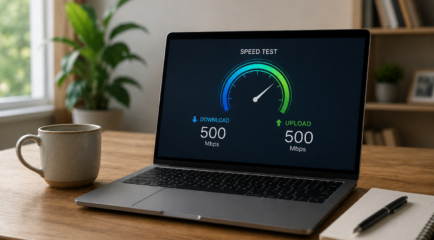
A speed test can provide another strong clue. Visit Speedtest by Ookla and compare your download and upload speeds.
Fiber internet usually delivers symmetrical speeds, meaning:
- 500 Mbps down / 500 Mbps up
- 1 Gbps down / 1 Gbps up
Cable internet often looks more like:
- 500 Mbps down / 20 Mbps up
- 300 Mbps down / 10 Mbps up
If your upload speed is close to your download speed, there’s a good chance you have fiber.
Check the Cable Type
If you can safely trace the cable from your router to the wall entry point, the physical connector can tell you a lot.
- Fiber: thin cable with a small square or rectangular plastic connector
- Cable: thick rigid cable with a round screw-on metal connector
- DSL: thin phone-style cable with a small clip connector
If you want to learn more about what fiber looks like inside a home, see home fiber optic installation basics.
Why It Matters
Knowing your connection type helps set realistic expectations for your internet performance. Many people assume slow speeds are always caused by their router, but sometimes the limitation is the actual connection type coming into the home.
Fiber can make a noticeable difference because it handles:
- Multiple devices streaming at once
- Video calls and remote work
- Large file uploads
- Smart home devices
- Peak evening usage without the same neighborhood slowdowns common with cable
If your internet speeds consistently fall short of what you’re paying for, knowing whether you have fiber, cable, or DSL helps narrow down the cause.
If you’re considering upgrading, articles like switching to fiber internet: here’s what to expect and how fast is fiber internet can help explain what changes.
Is Fiber Internet Available at Your Address?
Fiber availability depends entirely on whether a provider has built fiber infrastructure to your neighborhood. Even within the same city, one street may have fiber while another may not.
The easiest way to check is:
- Visit your local provider’s website
- Enter your full street address
- Compare available plan options
You can also use the FCC National Broadband Map to see what providers report at your address, though direct provider tools are usually more current.
If you’re in Utah or Wyoming service areas, you can check directly with All West Residential Internet.
Frequently Asked Questions
How do I know if my internet is fiber or cable?
Run a speed test and compare upload versus download speeds. Fiber typically has nearly equal upload and download speeds, while cable uploads are much slower. An ONT box in your home is also a strong indicator of fiber.
How do I know if I get fiber internet?
Check your bill or ISP portal for terms like Fiber, FiOS, GPON, or Gigabit. You can also look for an ONT installed in your utility area or garage.
What does fiber internet look like?
Fiber usually enters the home through a thin cable connected to an ONT box mounted indoors. From there, an Ethernet cable connects to your router.
Are fiber and Wi-Fi the same thing?
No. Fiber is the internet connection type coming to your home. Wi-Fi is the wireless signal your router creates inside the home.
What is the difference between Wi-Fi and fiber optic?
Fiber optic is the physical infrastructure that delivers internet service. Wi-Fi distributes that internet wirelessly to your devices.
Is fiber better than a modem?
Fiber is not a device, so it is not directly comparable to a modem. With fiber, the ONT replaces the traditional modem and typically supports faster, more reliable service.
Does your house have to be wired for fiber internet?
Yes. Fiber requires physical fiber infrastructure to reach your home. If your neighborhood has not been built out yet, service may not be available.
How do I tell what kind of internet I have?
The fastest method is to:
- Check your bill
- Run a speed test
- Look at the cable entering your router
- Identify whether you have an ONT
Using all three methods together usually gives a clear answer.
Does fiber internet increase your electric bill?
Not meaningfully. The ONT used for fiber draws only a small amount of electricity and usually adds very little to a household energy bill.