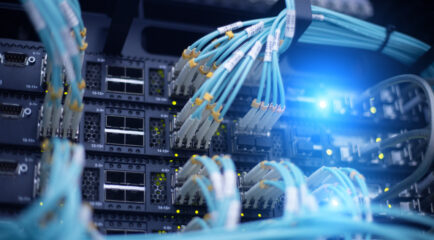




In today's digitally-driven world, seamless and high-speed internet connectivity has become an essential feature of every household. Home fiber optic solutions are rapidly gaining prominence for delivering unmatched speed, reliability, and bandwidth. This article aims to provide a comprehensive understanding of home fiber optic implementation and expand on key concepts, including fiber optic Ethernet cables, the installation process of fiber optic internet, and related topics.
What is Fiber Optic Internet?
Home fiber optic internet utilizes fiber optic cables, which are composed of thin strands of glass or plastic that transmit data as light pulses. This technology enables data to travel at incredible speeds, far surpassing traditional copper-wire-based systems like DSL or cable internet. The advent of home fiber optic internet has revolutionized connectivity, offering speeds ranging from 100 Mbps to as much as 1,000 Mbps (1 Gbps) or more, depending on the service provider and plan options.

Local Fiber Optic Installation Considerations in Utah and Wyoming
Fiber optic installation in Utah and Wyoming requires careful planning due to the region’s unique geography, climate, and local regulations. From navigating mountain terrain to securing permits and working within utility easements, several factors influence how fiber networks are deployed and maintained.
- Mountain terrain and severe weather create installation challenges
Utah and Wyoming feature rocky soil, steep terrain, remote service areas, and harsh seasonal weather conditions that can complicate fiber construction. Snow, freezing temperatures, and difficult ground conditions often require specialized equipment and adjusted installation timelines. - Installation methods are adapted to local conditions
A local fiber internet provider must design infrastructure with regional conditions in mind to ensure long-term reliability and consistent speeds. Construction methods, routing strategies, and protective measures are often customized to improve network resilience against weather and environmental wear. - Construction permits are required before installation begins
Fiber installation projects must comply with local permitting requirements throughout Utah and Wyoming. Depending on the area, approvals may involve counties, municipalities, transportation departments, or utility districts, each with different regulations and construction standards. - Fiber lines are commonly installed within utility easements
A utility easement is a legally designated area on or near a property that allows utility providers to install and maintain infrastructure. Fiber optic lines are typically placed within these easements to allow safe access for future maintenance while avoiding interference with private property ownership rights.
Key Components of Home Fiber Optic Systems
Fiber Optic Ethernet Cable
A fiber optic ethernet cable is a key component of the home fiber optic system. Unlike conventional ethernet cables that use electrical signals, fiber optic ethernet cables use light to transfer data, resulting in significantly faster and more reliable data transmission. These cables are central to achieving high-speed internet in your home network.
Fiber Modem and Router
To utilize home fiber optic internet, specific hardware is required. This includes a fiber modem (or Optical Network Terminal - ONT) that converts the light signal into a digital signal, and a compatible router that manages data traffic between the internet and your devices.
What Equipment Is Required for a Home Fiber Optic Setup?
Fiber Optic Cables
These are the primary medium for data transmission in a fiber optic network. They are usually provided by the ISP as part of the installation process.
Optical Network Terminal (ONT)
The ONT converts the fiber optic signals into Ethernet signals that your devices can use. It is a crucial component provided by the ISP.
Router
A high-speed router is essential for distributing the internet connection throughout your home. Ensure your router is fiber-ready and supports the speeds offered by your ISP.
Ethernet Cables
These cables connect the ONT to your router and other devices. For optimal performance, use CAT6 or higher-grade Ethernet cables.
Network Switch (Optional)
If you have multiple wired devices and not enough router ports, a network switch can help expand your network.
Wi-Fi Extenders or Mesh System (Optional)
To ensure strong Wi-Fi coverage throughout your home, consider using Wi-Fi extenders or a mesh Wi-Fi system, especially if you have a large or multi-story home.
Backup Battery (Optional)
To maintain your internet connection during power outages, you can use a backup battery for the ONT and your router.
How is Fiber Optic Internet Installed?
Installing fiber optic internet involves several critical steps:
Step 1: Site Survey and Feasibility Assessment
Before installation, technicians perform a site survey to assess the feasibility of running fiber optic cables to your home. They'll determine the best pathway for the cables and identify potential challenges.
Step 2: Laying the Fiber Cables
Once the site survey is complete, the process of laying the fiber optic cables begins. This may involve running cables overhead via utility poles or underground through existing conduits. The goal is to bring the fiber optic cable as close to your home as possible.
Step 3: Installation of Fiber Optic Equipment
Inside your home, the installation involves setting up an Optical Network Terminal (ONT), which connects to the incoming fiber optic cable. From the ONT, a fiber optic ethernet cable links to your router, distributing internet connectivity to your home network.
Step 4: Activation and Testing
Technicians will then activate your service and perform extensive testing to ensure that the connection meets expected speed and reliability standards. This step is critical to guarantee that you're reaping the full benefits of home fiber optic internet.
Benefits of Home Fiber Optic Internet
1. Unmatched Speeds
Home fiber optic internet provides symmetrical upload and download speeds, making it perfect not just for streaming and gaming, but also for remote work, cloud services, and other data-intensive activities.
2. Enhanced Reliability
Fiber optic cables are less susceptible to interference and degradation over distance, ensuring a stable and consistent internet connection.
3. Future-Proofing Your Home
As more devices per household require internet access, having a robust and high-capacity connection like home fiber optic internet will serve you well in the future.
4. Better Streaming and Online Experiences
With fiber optic internet, you can enjoy buffer-free streaming, reduced lag in online gaming, and quicker downloads/uploads, enhancing your overall online experience.
Ready for Fiber Internet? Check Local All West Coverage
The implementation of home fiber optic internet is a worthy investment for those seeking superior internet experiences. By understanding the key components, installation process, and benefits outlined in this guide, you can make informed decisions and seamlessly transition into the future of connectivity. Whether you're laying down fiber optic ethernet cables or exploring the fiber internet map for availability, the solutions provide unparalleled speed, reliability, and future-proofing for your home internet needs.
Check availability and order now
Frequently Asked Questions
What kind of maintenance is required for fiber optic cables?
Fiber optic cables are relatively low-maintenance compared to copper cables. However, it's essential to handle them carefully to avoid damage, as they can be fragile.
How Does a Home Fiber Optic Network Enhance Internet Speed?
- Fiber optic cables can carry a much higher volume of data compared to copper cables. This translates to higher internet speeds and better performance.
- Fiber optics offer reduced latency due to their ability to transmit data at the speed of light, ensuring quicker response times.
- Fiber optics suffers minimal signal loss over long distances. This ensures that your internet speed remains consistent.
- Less Vulnerability to External Factors: Fiber optic cables are less affected by electromagnetic interference and physical damage.
Ready for Professional Fiber Optic Installation? Check All West Availability Today
How do fiber optics reduce latency compared to older cables?
- Fiber optic cables transmit data using pulses of light rather than electrical signals sent through copper wiring.
- Light travels through fiber strands extremely efficiently with far less signal resistance and electromagnetic interference than electricity traveling through metal cables.
- Because the signal experiences less degradation over long distances, data can travel faster and more directly between devices and network infrastructure.
- Fiber networks also require fewer signal boosts and retransmissions, which helps reduce delays during data transmission.
- The result is lower latency, meaning faster response times for activities like online gaming, video conferencing, cloud applications, and real-time communication.
What hardware converts the fiber optic light signal into the internet?
- The primary device responsible for converting a fiber optic signal into usable internet service is called an Optical Network Terminal (ONT).
- The ONT is typically installed on the outside of a home, in a garage, utility room, or near the main network entry point inside the building.
- Its job is to convert the incoming pulses of light traveling through the fiber optic cable into electrical Ethernet signals that routers and connected devices can use.
- The ONT essentially acts as the bridge between the fiber network outside and the home network inside.
- After the conversion process, the ONT connects to a router, which then distributes internet access throughout the property via Wi-Fi or wired Ethernet connections.