


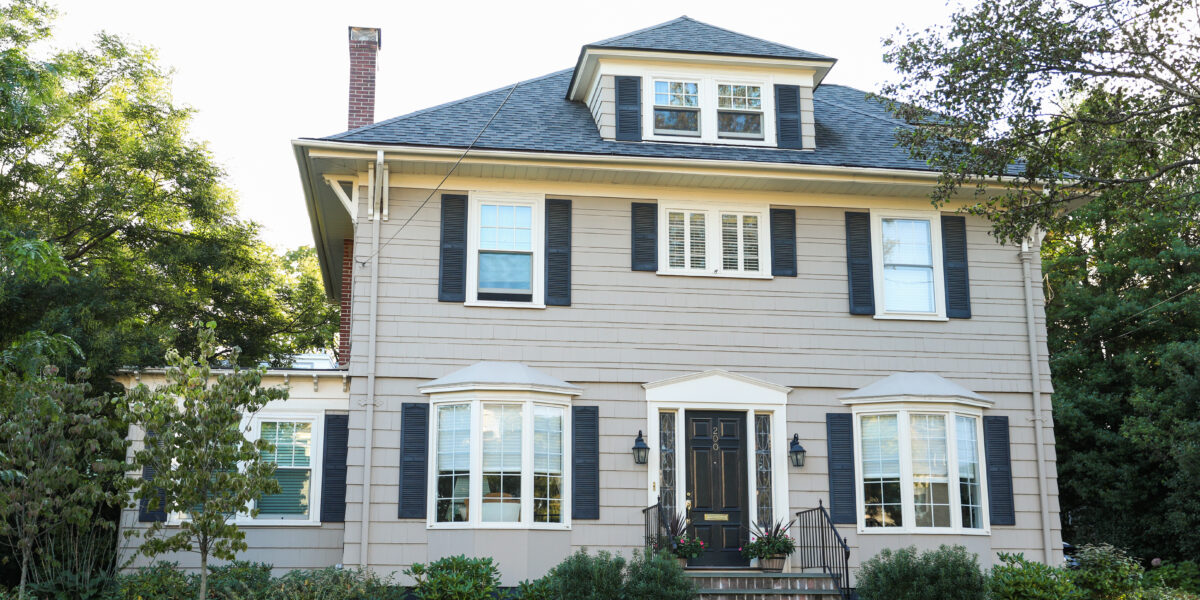
If your Wi-Fi drops on one floor, crawls to a halt in the back bedroom, or gives up entirely in the garage, your internet plan probably isn’t the problem: the problem is likely where your router is sitting. In a two-story home, finding the best place to put your Wi-Fi router can be the difference between whole-house coverage and a patchwork of dead zones. This guide covers the optimal placement for a 2-story house, the common mistakes to avoid, and what to do when placement alone is not enough.
Why Router Placement Matters More in a Two-Story Home
Wi-Fi signals radiate outward from your router in all directions, behaving similarly to light — they travel in straight lines and weaken when they hit obstacles. Materials like wood and drywall slow them slightly; brick, concrete, and metal can block them significantly. In a single-story home, a central placement usually handles the whole floor. In a two-story home, the challenge is both horizontal and vertical. Your router needs to punch through the floor and ceiling between levels to reach devices on both floors, making placement vital.

The Best Place to Put Your Wi-Fi Router in a 2-Story House
Aim for the Middle of the House — Horizontally AND Vertically
In a two-story home, 'central' means central in both dimensions. The consistently recommended sweet spot is near the ceiling of the first floor or near the floor of the second floor. Both place the router at equal distance from the rooms on both levels, giving the signal the best chance to reach every corner.
Avoid placing the router at the far edge of the house or in a corner because that means half the signal is broadcasting into exterior walls and outside, rather than into your living space
Elevate the Router — Ceiling-Height on the First Floor Is Ideal
Routers broadcast their signal in a shape similar to a flattened donut — outward and slightly downward from the antenna. Placing the router on the floor means a lot of that signal is blasting into the ground, wasted. Routers sitting on the floor can also overheat, which degrades performance over time.
For a two-story home, mount the router high on a wall using a small bracket or shelf to maximize vertical coverage without complicating the setup.
Consider Placement Near a Stairwell or Open Area
Stairwells and open areas between floors give the signal a clearer path from one floor to the other. If your layout allows for it, positioning the router near a staircase or open double-height space can improve coverage compared to placing it in a walled-off room on one level.
Where NOT to Place Your Wi-Fi Router in a 2-Story House
Knowing the wrong spots is just as useful as knowing the right one. These are the most common placement mistakes that create dead zones and weak coverage in two-story homes.
Corners and Outer Walls
Placing the router in a corner or against an exterior wall sends a large portion of the signal broadcasting outward. Always move the router inward, toward the center of the home.
The Kitchen and Other High-Interference Areas
Microwaves operate on a frequency close to the 2.4 GHz band that most routers use, meaning a running microwave can actively disrupt your Wi-Fi signal. Cordless phones, baby monitors, and Bluetooth speakers can also cause interference. Keep the router out of the kitchen and away from these devices.
Similarly, avoid placing the router near mirrors, large fish tanks, or any water source. Water and reflective surfaces deflect and absorb radio signals, weakening your coverage.
The Basement or Attic
A basement router has to push its signal up through floors and multiple building materials just to reach the main living areas, so most of your signal goes into the roof rather than downward into the home. Attics also run hot, which shortens router lifespan.
How to Position Your Router's Antennas
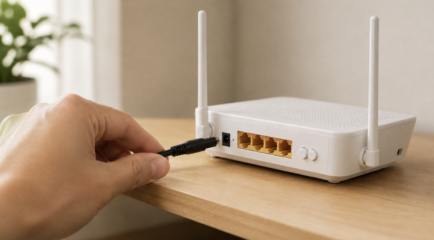
If your router has external antennas, their orientation directly affects how the signal distributes across your home. A vertical antenna sends the signal outward horizontally; a horizontal antenna sends it up and down.
For a two-story home, the recommended approach is to position one antenna vertically and one at a 45-degree angle (or fully horizontal). The vertical antenna handles coverage across the same floor; the angled or horizontal antenna pushes the signal between floors. Experiment with angles and run a speed test on each floor to see what works best for your specific layout.
If your router has internal, non-adjustable antennas, this is not a concern — internal antenna routers are typically designed to broadcast in a sphere rather than a horizontal plane, which naturally covers multiple floors better than an external-antenna router with all antennas set vertically.
When Placement Alone Isn't Enough
Understand Your Router's Frequency Bands (2.4 GHz vs. 5 GHz)
Most modern routers broadcast on two frequency bands: 2.4 GHz and 5 GHz. Understanding the difference helps you get the best performance from wherever your router is placed.
- 2.4 GHz has a longer range and passes through walls more easily, but it is slower and more susceptible to interference from microwaves and other devices.
- 5 GHz is faster but has a shorter range and does not penetrate walls as well.
- As a rule of thumb: connect devices close to the router to the 5 GHz band for faster speeds. Connect devices farther away — or on a different floor — to the 2.4 GHz band for a more reliable connection. Many modern routers handle this automatically with band steering, but you can also set it manually in your router's settings.
Use a Wi-Fi Extender
When coverage in remote areas is inadequate, consider adding extenders to amplify the signal. They work well for browsing and streaming but may introduce lag for gaming or video calls. For the best performance, use an extender with a wired backhaul connection to your router, or upgrade to a mesh system.
Upgrade to a Mesh Network
For homes demanding seamless coverage, mesh systems distribute multiple nodes across the house to eliminate dead zones. This means you get consistent speeds throughout the home rather than a weaker rebroadcast in areas far from the main router.
Use Ethernet for Wired Devices
A wired Ethernet connection bypasses signal obstacles, delivering consistent speeds regardless of how many walls or floors stand between the device and the router. For devices like desktop computers, gaming consoles, or smart TVs that stay in one place, a wired connection is almost always better than Wi-Fi anyway.
Keep Your Router's Firmware Updated
Manufacturers frequently release firmware updates to enhance performance; ensure your equipment is up to date. Check for firmware updates every few months or enable automatic updates if supported.
FAQ: Best Place to Put Wi-Fi Router in a 2-Story House
Should I put my router upstairs or downstairs?
In a two-story house, the optimal location for your Wi-Fi router is typically as close to the center of the house as possible. Placing the router centrally ensures that the signal can reach every corner of your home more evenly. If coverage needs to be balanced across both floors, near the ceiling of the first floor is often the better choice. If you use the second floor more heavily, placing the router there near the floor (rather than on a table) gives you better coverage downstairs.
What is the best height for a Wi-Fi router in a 2-story house?
Around five to seven feet off the ground, ensuring minimal obstruction, is often recommended. In a two-story home, as high as practical on the first floor is the general recommendation — ideally at or near ceiling height. A router mounted on a wall bracket at 7 to 9 feet will outperform the same router sitting on a desk or low shelf in most two-story layouts. At a minimum, keep the router at least 1 to 1.5 feet off the floor.
Can I place my router in an enclosed cabinet?
Avoid it. Enclosed cabinets, closets, and cupboards block and absorb Wi-Fi signals significantly. They also restrict airflow, which can cause the router to overheat and reduce performance over time. If aesthetics are a concern, use a small open shelf or a wall-mounted bracket instead.
How often should I update my router's firmware?
Check for firmware updates every few months or enable automatic updates if your router supports them. Router manufacturers release updates regularly to improve performance, patch security vulnerabilities, and fix bugs that can affect connection stability.
Do you need two routers for a 2-story house?
Not necessarily. A single modern router placed well — near the ceiling of the first floor, in a central location — can cover a typical two-story home. That said, larger homes, homes with thick concrete or brick construction, or layouts with many walls between floors often benefit from a second unit. A mesh system is the better approach over a second traditional router, because mesh nodes are designed to communicate with each other and hand off devices seamlessly as you move between floors. A second traditional router requires more configuration and can create network conflicts if not set up correctly.
How to get a stronger Wi-Fi signal upstairs?
The most effective fixes for weak upstairs Wi-Fi, in order of impact:
- Move the router higher — ceiling-height on the first floor pushes more signal upward than a router sitting on a desk or shelf.
- Angle one external antenna horizontally if your router has adjustable antennas — this directs more signal vertically between floors.
- Place a mesh node on the second floor for dedicated upstairs coverage.
- Use the 2.4 GHz band for upstairs devices — it has better range and wall penetration than the 5 GHz band.
- Connect upstairs devices to Ethernet if they are stationary — this eliminates the signal loss entirely.
Conclusion: Getting the Most Out of Your Wi-Fi in a Two-Story Home
Finding the best place to put your Wi-Fi router in a 2-story house comes down to a few consistent principles: keep it central, keep it elevated, keep it away from interference and enclosed spaces, and position the antennas to send signal between floors rather than just across one level. Small adjustments in placement can have a meaningful impact on coverage and speed throughout your home.
If you have done everything right and still have dead zones, the problem may be your internet connection itself rather than your router's position. All West Fiber delivers fast, symmetrical speeds with the reliability that lets your home network actually perform — regardless of how many devices are competing for bandwidth across both floors. Check if All West Fiber is available at your address: allwest.com/residential/internet