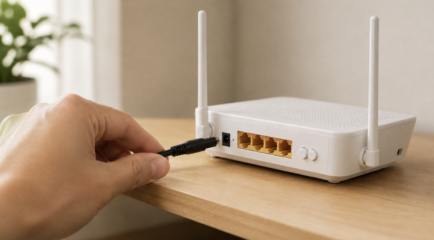




“I feel the need, the need for speed.” The demand for faster internet is greater than ever before. As an internet service provider (ISP), we are here to provide you with the best services possible, which is why we offer multi-gig fiber internet plans to our customers*. In order to take advantage of multi-gig internet (5 Gig and 8 Gig), you will need to have compatible hardware to take advantage of the speeds.
What is Multi-Gig Internet?
Multi-gig internet refers to internet speeds faster than 1 gigabit per second (1Gbps). Common multi-gig speed tiers include 2Gbps, 5Gbps, and 8Gbps connections, depending on the provider and available infrastructure.
Many households and businesses upgrade to multi-gig internet to support growing bandwidth demands, including 4K and 8K streaming, online gaming, large file transfers, cloud backups, smart home devices, and multiple users connected at the same time. It’s also popular for future-proofing a network, ensuring the connection can handle newer technologies and increasing data usage for years to come.
Here is a list of things to consider:
Essential Hardware for Multi-Gig Wired Connections
- The wired connection is the only way to get true 8 Gig speed
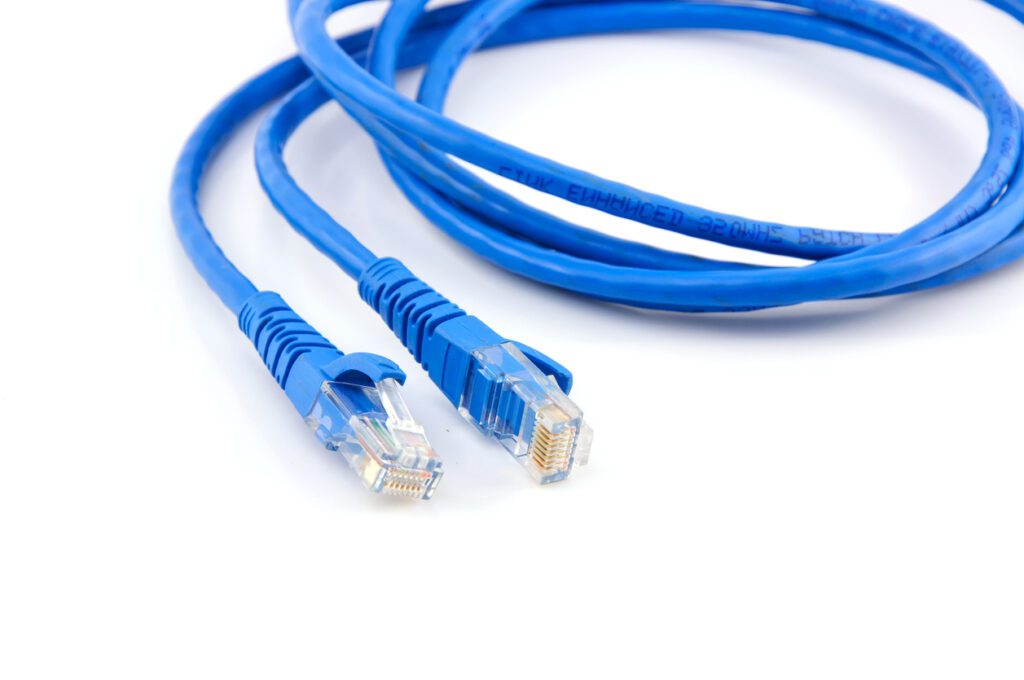
Choosing the Right Ethernet Cables (Cat 6a vs. Cat 7)
Not all Ethernet cables are equal. You'll need Cat 6a or Cat 7 Ethernet cables to ensure the signal integrity and speed over the wired connections. These cables are designed to handle Gigabit speeds and beyond. Don’t know what type of cable you have? Most cables will have their category written on the side.
Network Cards and Adapters (NICs & Thunderbolt)
Devices that connect wirelessly also need to have Wi-Fi adapters that can support the high-speed connection. Make sure your laptops, smartphones, tablets, and other wireless devices are equipped with modern Wi-Fi technology. Devices that support Wi-Fi 6 will let you use your multi-gig connection to the fullest potential.
The Importance of Multi-Gig Switches
If you plan to connect multiple devices through Ethernet, a Gigabit Ethernet switch will allow you to do so efficiently. A switch is a piece of hardware that connects multiple devices on a single network. Devices connect to the switch, which connects to the router so they can communicate with each other. This is particularly useful for devices like gaming consoles, smart TVs, and desktop computers.
Optimizing Your Wi-Fi for Multi-Gig Speeds
Routers and Gateways (Wi-Fi 6E & Wi-Fi 7)
The router is the equipment that takes the signal from your modem and distributes it to both wired devices and wireless (Wi-Fi) devices. A high-performance router is crucial to manage and distribute the high-speed internet connection to various devices in your home, so you’ll want one that supports Gigabit Ethernet ports and has the processing power to handle multi-gig speeds.
Device Compatibility (Phones/Laptops)
When hardwired into All West fiber internet, devices will need the following:
- Device needs to be 10 gig capable
- A 10 gig port in the motherboard
You can find out if your device is 10 gig capable by checking the manufacture specifications.
To accommodate for wireless devices, you'll need Wi-Fi access points that support high-speed 802.11ac or 802.11ax (Wi-Fi 6) standards. These will help ensure that your wireless devices can also take advantage of the high-speed internet.
Common Bottlenecks to Avoid:
Even with a fast internet plan, older hardware can prevent you from reaching multi-gig speeds. Common bottlenecks include:
- Outdated network switches - Older switches may only support 1Gbps Ethernet, limiting speeds across your network.
- Older Ethernet cabling - Cat 5e cables can sometimes handle multi-gig speeds over short distances, but Cat 6 or Cat 6a is more reliable for 2.5Gbps, 5Gbps, and higher connections.
- Slow hard drives - Traditional HDDs may not read or write data fast enough to fully utilize multi-gig transfers, especially during large downloads or backups. SSDs and NVMe drives perform significantly better.
- Older routers or network cards - Devices without multi-gig Ethernet ports or modern Wi-Fi standards can become a major speed limitation.
- Weak Wi-Fi coverage - Congestion, interference, and poor router placement can reduce real-world wireless performance even if your internet plan is extremely fast.
Is Your Home Ready for the Future of Speed?
*Service availability and internet speed will depend on location. Multi-gig internet plans are not available in all areas.