



In today's digitally driven world, a reliable internet connection is more critical than ever. Whether you're working remotely, streaming your favorite shows, or gaming online, the speed and stability of your internet can make or break your experience. This is where the phrase "test my internet speed" becomes pivotal. In this comprehensive guide, we'll explore how to test your internet speed, understand the results, and address common concerns related to internet performance.
Why Testing Your Internet Speed Matters
Knowing how to "test my internet speed" is crucial for diagnosing connection issues, optimizing performance, and ensuring you're getting the service you pay for.
What is Internet Speed?
Internet speed is measured by the rate at which data is transferred over your connection, typically expressed in megabits per second (Mbps). It involves two main components:
Download Speed: The rate at which data is received from the internet.
Upload Speed: The rate at which data is sent to the internet.
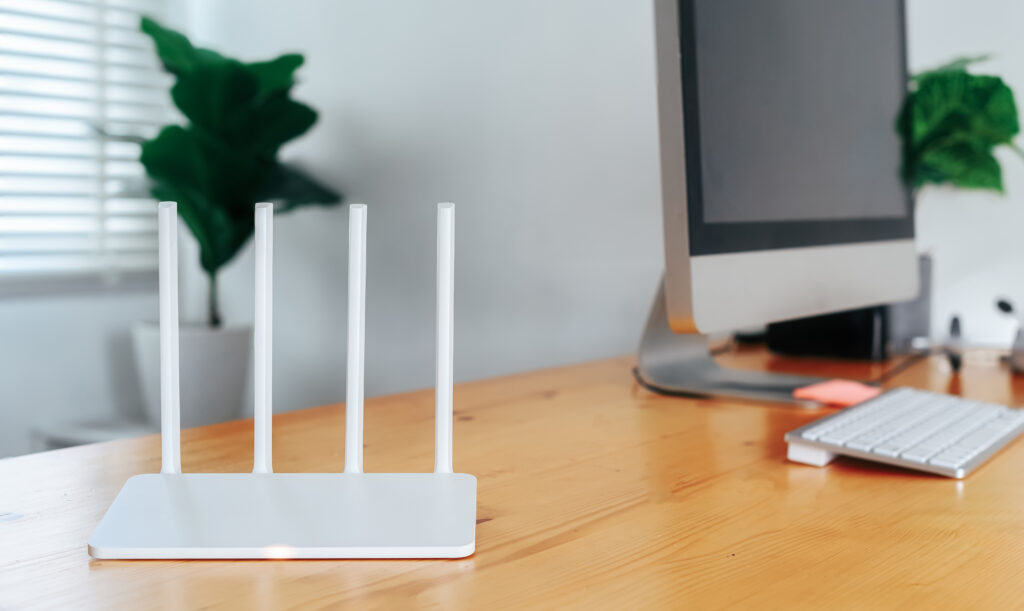
How to Test Your Internet Speed: Step-by-Step Guide
Step 1: Choose a Reliable Speed Test Tool
There are various online tools available for testing your internet speed. Some reliable options include:
Speedtest by Ookla: A widely used tool that provides detailed insights into your internet speed.
Fast: A simple and straightforward tool by Netflix that focuses on download speed.
Google Internet Speed Test: Easy to use and integrated within the Google search engine.
Step 2: Close Background Activities
Ensure that no other significant activities, like large downloads or streaming, are taking place while you run the test. This helps in obtaining accurate results.
Step 3: Conduct Multiple Tests
Perform the speed test multiple times at different times of the day to get an average result. This accounts for fluctuations due to network traffic and other factors.
Step 4: Analyze the Results
After running the test, you'll receive the following data:
Download Speed: Should be high for activities like streaming and downloading files.
Upload Speed: Needs to be sufficient for tasks like video conferencing and uploading files.
Ping (Latency): Lower values are better, especially for online gaming and real-time communication.
Addressing Frequently Asked Questions
What Should Be a Good Internet Speed?
For typical household use, speeds of at least 25 Mbps for download and 3 Mbps for upload are recommended. However, higher speeds are preferable for activities like UHD streaming or online gaming.
Why Are My Internet Speeds Different from What I’m Paying For?
Several factors can affect your internet speed, including network congestion, Wi-Fi signal interference, and hardware limitations. Testing your connection can help identify potential issues.
How Can I Improve My Internet Speed?
1. Upgrade Your Plan:
Consider upgrading to a higher speed tier if your current plan is insufficient.
2. Optimize Your Wi-Fi:
Placement of your router, using a less crowded channel, and upgrading to a newer model can improve performance.
3. Wired Connection:
Ethernet connections are generally more stable and faster compared to Wi-Fi.
4. Reduce Bandwidth-Hogging Activities:
Limit activities that consume a lot of bandwidth when full speed is required.
FAQ: Testing Your Internet Speed
Welcome to our comprehensive FAQ on testing your internet speed! Whether you're a novice user or an experienced tech enthusiast, understanding the performance of your internet connection is crucial. Below you'll find answers to some of the most common questions about testing internet speed.
How can I test my internet speed to determine its reliability?
Testing your internet speed is a straightforward process that can give you insights into the performance and reliability of your internet connection. Here's why it's important and how you can do it:
Why Test Your Speed?
Testing your internet speed helps you determine if you are getting the speed promised by your Internet Service Provider (ISP). It can also identify connectivity issues, help troubleshoot performance problems, and aid in optimizing your network setup.
Basic Steps
Choose a Reliable Speed Test Tool: Utilize tools like Ookla's Speedtest, Fast.com by Netflix, or Google Speed Test. These tools are user-friendly and widely trusted.
Preparation: Ensure that no other intensive activities (like streaming or large downloads) are happening on your network to get accurate measurements.
Run the Test: Open the chosen speed test tool, click on "Go" or "Start," and wait for the results.

What steps can I take to perform an internet speed test at home?
Performing an internet speed test at home is straightforward. Follow these detailed steps to ensure accurate results:
Step-by-Step Process:
Select a Speed Test Site: Opt for trusted sites like Ookla Speedtest (speedtest.net), Fast.com, or your ISP's speed test service.
Optimize Your Environment: Wired Connection: For the most accurate reading, connect your device directly to the router via an Ethernet cable.
Wi-Fi Connection: If testing over Wi-Fi, ensure you're close to the router and minimize obstacles.
Close Unnecessary Applications: Shut down other applications and devices using the network to avoid interference.
Perform the Test: Navigate to the speed test site, click the "Go" or "Start" button, and wait for the test to complete.
Review Results: Analyze the results, which typically include download speed (measured in Mbps), upload speed (measured in Mbps), and ping/latency (measured in milliseconds).
Is there a comprehensive guide on how to test my internet speed?
Yes, a comprehensive guide on how to test your internet speed would cover a series of considerations and steps to ensure you're conducting the test under optimal conditions. Here's a simplified overview:
Comprehensive Guide Overview:
Understand Speed Metrics: Learn about download speed, upload speed, and latency/ping.
Choosing the Right Tool: Explore various speed testing tools and apps, and understand their pros and cons.
Preparation: Optimize your testing environment as mentioned earlier (e.g., using a wired connection, closing unnecessary apps).
Executing the Test: Run multiple tests at different times of the day and on different days to get a clear picture of your average speeds.
Interpreting Results: Understand how your results compare to your ISP's advertised speeds and identify any significant discrepancies.
Advanced Troubleshooting: If issues are found, dive into deeper diagnostics like checking for network congestion, router placement, and potential hardware issues.
What factors can affect the readings of my internet speed test?
Several factors can influence the accuracy and reliability of your internet speed test results:
Network Congestion: During peak usage times, more people are using the internet, which can slow down your connection.
Wi-Fi Interference: Physical obstructions, electronic devices, and distance from the router can impact Wi-Fi signal strength and speed.
Device Performance: Older devices or those with limited hardware capabilities may not handle high-speed connections well.
Router and Modem Quality: Outdated or malfunctioning routers and modems can bottleneck your connection speed.
Background Applications: Applications and devices consuming bandwidth during the test can skew results.
ISP Performance: Your ISP's performance and network infrastructure can also impact your speed, especially if there are maintenance issues or outages.
Server Locations: The location of the speed test server relative to your location can affect results. Closer servers typically provide more accurate readings.
In summary, knowing how to "test my internet speed" is essential for maintaining a reliable and effective internet connection. Using reputable tools for test de velocidad, teste de velocidade, tes de velocidad, or hız testi can provide you with the insights needed to troubleshoot and optimize your connection.
Regular testing, combined with a good understanding of what the results mean, can ensure that you enjoy a seamless online experience. By following these steps and addressing common concerns, you can better manage your internet performance and make informed decisions about your connectivity needs.