


You're paying for a fast plan, the speed test looks great, and you still get rubberbanding in the middle of a fight, or lose a duel you were sure you'd won. The number most plans advertise, download speed, has very little to do with how a game feels. The best internet for gaming is the connection with low, steady latency, and most internet guides get that backwards by leading with Mbps.
Key takeaways
- Latency, measured as ping, shapes how a game feels. A low, steady ping on a modest plan plays better than a fast plan with spiky ping.
- HP recommends under 30 ms of ping for competitive play and under 50 ms for most online games.
- Games use little bandwidth during a match, so download speed mostly affects how fast games and updates install.
- Fiber keeps latency lower and steadier than cable, DSL, or 5G home internet, though the distance to the game server still adds its own delay.
- Test your ping at Speedtest.net over a wired connection before assuming your plan is the problem.
What latency is and why gamers should care
Latency is the time it takes for data to travel from your device to the server and back, measured in milliseconds (ms). Ping is how you measure it in practice: the number in a game's network stats or a speed test result.
In a real-time multiplayer game, every input has to reach the server before it counts. With high latency, your shot, jump, or block lands late. That's where lag comes from, along with rubberbanding and getting hit after you've already ducked behind cover. Inconsistent latency, called jitter, makes it worse, because you can't adjust to a delay that keeps changing from one moment to the next. Packet loss, when some of that data never arrives at all, shows up as stutter and players teleporting across the map.
Download speed measures something else: how much data arrives per second in bulk, like a game install or a streamed cutscene. During live play, a game trades small, frequent packets with the server. A bigger download pipe does nothing for you if those packets arrive late or unevenly.
Ping benchmarks for gaming
HP's guide to internet speed for gaming sets clear ping targets, which break down like this:
- Under 30 ms: The target for competitive shooters. Your inputs register close to the moment you make them.
- 30 to 50 ms: Good for most online games. HP sets under 40 ms for battle royales and sports or racing titles, so aim for the low end there.
- 50 to 100 ms: Workable for casual and slower-paced play. Reaction-heavy games get noticeably harder to play well.
- Above 100 ms: Past HP's target even for casual online games. Expect delayed inputs and rubberbanding in fast-paced games.
To see where you stand, run a test at Speedtest by Ookla on the device you play on, connected by Ethernet cable if you can. Wi-Fi adds its own delay, so a wired test shows what your internet connection itself delivers. A speed test measures ping to a nearby test server. Your in-game ping also depends on where the game's servers are, so expect it to run higher on servers that are farther away.
If your ping runs higher than it should, a few changes at home help before you look at a new plan. Play on a wired connection, pause large downloads and cloud backups during a match, and pick the closest server region when the game lets you choose.
Why download speed is the wrong thing to optimize for
Online games use very little bandwidth during active play. Even for competitive shooters, HP recommends 25 to 50 Mbps of download speed, with a minimum as low as 5 Mbps. The FCC's standard for home broadband is 100 Mbps download and 20 Mbps upload, and a plan at that level covers a gaming session with plenty left for the rest of the household.
Download speed matters when you're installing a new game or pulling down a large patch. A faster plan shortens that wait: a 100 GB download takes a little over two hours at 100 Mbps and about 13 minutes on a 1 Gbps connection, at full speed. Once you're in a match, that extra speed won't change how the game plays. The bottleneck for in-game performance is latency and how consistent it stays. In a competitive match, a modest plan with low, steady ping will usually outperform a much faster plan with spiky ping.
The exception is a crowded connection. When someone else in the house starts a big download, a 4K stream, or a cloud photo backup, that traffic can fill the connection and push your ping up, even on a fast plan. Uploads can be part of it, since many plans offer far less upload than download. Extra headroom, in both directions, keeps the rest of the household from showing up in your ping.
Why fiber delivers better gaming performance
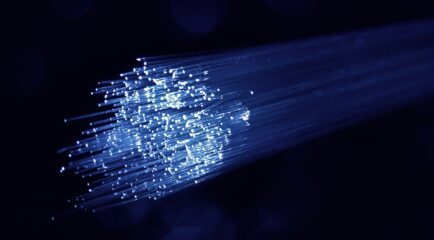
Fiber carries data as pulses of light through glass strands, while cable and DSL send electrical signals over copper wire. Light signals lose very little strength over distance and resist electrical interference, which accounts for most of how fiber speed and latency compare to other connection types. Cable internet shares capacity among the homes in a neighborhood, so in the evening, when everyone is streaming and gaming, ping can spike without warning. DSL adds latency and loses speed the farther a home sits from the provider's equipment. 5G home internet travels over the air to a nearby tower, so its latency shifts with signal strength and how busy the tower is.
Fiber can also deliver symmetrical speeds, meaning upload matches download. Not every fiber plan is symmetrical, so check before you sign up. Upload carries your voice in party chat, your stream if you broadcast gameplay, and the game data your console or PC sends back to the server.
One thing fiber can't change is the distance to the game server. Connecting from Utah to a server on the East Coast adds latency on any connection type. Fiber removes the delay and inconsistency your home connection adds, which is the part your internet provider controls. Many games show your server region and ping on the scoreboard or in network settings, which makes it easy to see how much of your ping comes from distance alone.
All West fiber for gamers
All West Fiber serves select Utah and Wyoming communities with low latency, symmetrical speeds, and no data caps, where available. Service is month-to-month with no annual contract, from a company that has served this region since 1912 with local technicians and local support.
Check what's available at your address
If your ping spikes every evening right when your squad gets online, checking your address beats sitting out another match.
See what All West offers at your address →
Frequently asked questions
What is a good ping for gaming?
Under 30 ms for competitive shooters and under 50 ms for most other online games, based on HP's guidance. Once ping passes 100 ms, fast-paced games start to feel laggy.
Does fiber internet reduce ping?
It cuts the delay your home connection adds and keeps ping steadier at busy times of day. The distance to the game server and the route your data takes still matter, so a server across the country stays farther away on any connection.
Is 2.4 GHz or 5 GHz better for gaming?
5 GHz is the better choice when your console or PC is near the router, since it's faster and less crowded. 2.4 GHz reaches farther but picks up more interference. An Ethernet cable beats both for the lowest, steadiest ping.
What should I look for in a gaming internet plan?
Low, consistent latency first, then no data cap, then enough upload for party chat and streaming. A fiber plan with symmetrical speeds covers all three. Raw download speed mostly affects how fast new games install.
Do I need fiber for cloud gaming?
Cloud gaming streams the game to you as video, so it needs more speed than regular online play. HP recommends at least 15 Mbps, ideally 35 to 50 Mbps, with ping under 30 ms. Fiber's low, steady latency suits it well.